This is the first question everyone asks: Alexa or Google Home? And most advice online is useless — "both are great, it depends on your needs!" Thanks, that helped nobody.
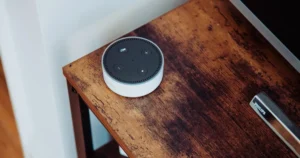
I've used both daily for two years. An Echo Dot in the kitchen, a Nest Mini in the bedroom. Here's a straight answer.
The Straight Answer
Buy Alexa if you want the most device compatibility and the cheapest entry point.
Buy Google Home if you're already using Google Calendar, Gmail, and Android, and want a smarter assistant.
For most people, Alexa is the safer bet. Here's why.
Device Compatibility: Alexa Wins
This is the single most important factor, and it's not close.
| Alexa | Google Home | |
|---|---|---|
| Compatible smart home devices | ~140,000+ | ~80,000+ |
| Budget brand support | Almost universal | Most but not all |
| Smart plug support | Every plug works | Most plugs work |
| Camera support | Ring + most others | Nest + most others |
When a new smart home brand launches a product, they add Alexa support first. Google Home second. Apple HomeKit maybe never. This means with Alexa, you're never stuck wondering "does this work with my system?"
Real-world example: I bought a cheap $12 smart plug from a no-name brand on Amazon. It worked with Alexa immediately. Google Home? Not supported. This happens constantly with budget devices.
Voice Assistant Quality: Google Wins
Ask Alexa "what's the capital of Burkina Faso?" and she'll answer. Ask her a follow-up question and she's lost.
Google Assistant handles context better. You can say "what's the weather today?" followed by "what about tomorrow?" and it understands. Alexa needs you to say "Alexa, what's the weather tomorrow?" as a complete new sentence.
For complex questions, Google is noticeably smarter. It uses Google Search under the hood, which means it pulls from the best search engine in the world.
But here's the thing: most smart home voice commands are simple. "Turn off the lights." "Set a timer for 12 minutes." "Play jazz." Both assistants handle these identically. The intelligence gap only shows on knowledge questions, and you have a phone for that.
The Ecosystem Lock-In
| What You Already Use | Better Choice |
|---|---|
| Amazon Prime + Fire TV | Alexa |
| Gmail + Google Calendar + Android | Google Home |
| Apple everything | Neither (get HomePod Mini) |
| Nothing yet | Alexa |
If you use Google Calendar religiously, Google Home reads your agenda better than Alexa. "Hey Google, what's my day look like?" gives you a natural summary with travel times.
Alexa can connect to Google Calendar too, but the integration is clunkier. You'll notice small frustrations — events sometimes don't sync, or the time zone is off.
If you have a Fire TV Stick, Alexa is seamless. "Alexa, play Stranger Things" just works. Google Home can control some TVs with Chromecast, but it's less reliable.
Price Comparison
| Device | Alexa | Google Home |
|---|---|---|
| Cheapest speaker | Echo Dot: $50 ($22 on sale) | Nest Mini: $50 ($25 on sale) |
| Best speaker | Echo (4th gen): $100 | Nest Audio: $100 |
| With screen | Echo Show 5: $90 | Nest Hub: $100 |
| Premium speaker | Echo Studio: $200 | — (no equivalent) |
Prices are nearly identical. Both go on deep sale during Prime Day and Black Friday. If you're patient, you can get either for 50% off.
Privacy
Neither is great. Both record your voice commands and send them to their servers.
Amazon (Alexa): Has been caught letting employees listen to recordings for "quality improvement." You can opt out in settings and delete recordings, but the default is to keep everything.
Google: Same deal. Recordings are stored to "improve the assistant." Google's broader data collection (search history, location, email) means your smart home data is just one more data point in a very detailed profile.
If privacy is your top concern: Apple HomePod Mini processes most commands locally and doesn't store recordings. The trade-off is fewer compatible devices and higher cost.
Practical move for either: Go to the privacy settings (Alexa app → Privacy → Manage Your Data, or Google Home app → Your Data) and:
- Turn off voice recording storage
- Set auto-delete to 3 months
- Delete existing recordings
Takes 2 minutes and significantly reduces what they keep.
Smart Home Routines
Both support routines (automated sequences triggered by voice or time), but the experience differs.
Alexa routines are simpler to set up. The interface is straightforward: trigger → actions → done. You can trigger routines by voice, time, device state, or location.
Google routines are slightly more flexible but the setup interface is confusing. Google recently revamped their routine system and it's gotten better, but Alexa's is still more intuitive.
Example routine — "Goodnight":
- Alexa: "Alexa, goodnight" → turns off lights, locks door, sets alarm, tells tomorrow's weather. Setup: 3 minutes.
- Google: "Hey Google, goodnight" → same actions, but setting up the lock integration took me 10 minutes of troubleshooting.
The Switching Cost
Already bought Alexa devices and wondering if Google is better? Don't switch. The difference isn't big enough to justify replacing hardware. Same applies the other way.
The only scenario where switching makes sense: you bought one device and hate it. Return it within 30 days and try the other.
If you have 3+ devices in one ecosystem, switching would cost $150+ in new hardware for a marginal improvement. Not worth it.
My Actual Recommendation
New to smart home → Alexa. More devices work with it, it's often cheaper on sale, and the routine setup is easier.
Heavy Google user with Android → Google Home. The calendar and search integration genuinely makes daily use smoother.
Apple household → HomePod Mini. But accept that fewer devices will work and you'll pay more.
Mixed household (one person Android, one iPhone) → Alexa. It's the most platform-agnostic option.
Don't agonize over this. Both are good. The wrong choice is buying both and creating an ecosystem mess.
Dana Park has an Echo Dot and a Nest Mini in her apartment. She tells people to pick Alexa not because it's better, but because the question stops mattering once you start actually using the thing.
Where to Buy
Affiliate links — if you buy through these links, I may earn a small commission at no extra cost to you.
Frequently Asked Questions
Which is better, Amazon Alexa or Google Home?
Google Home has better general knowledge and more natural conversation. Alexa has broader device compatibility and a larger third-party skill ecosystem. For smart home control, both are excellent. If you use Google services (Gmail, Calendar), Google Home integrates more naturally. If you shop on Amazon, Alexa integrates with your orders.
Can Alexa and Google Home devices work in the same house?
Yes — they can both control the same smart home devices, though some devices require separate setup for each platform. I have both in different rooms and they coexist fine. Smart home devices with Matter certification work natively with both.
Does Alexa or Google listen to everything you say?
They only process audio after detecting their wake word. The concern is false wake word triggers — where the device activates without intentional prompt. Both devices upload triggered audio to servers, but you can review and delete this history in the companion apps.
Is Alexa or Google Home better for privacy?
Neither is ideal for privacy-conscious users — both upload voice data to cloud servers. Google uses voice data to improve products; Amazon does similarly. Apple HomeKit with HomePod is generally considered the most privacy-respecting of the three major ecosystems.
Can Alexa and Google Home control the same smart home devices?
Usually yes — most mainstream smart home devices (Philips Hue, TP-Link Kasa, Eufy, Ring) are compatible with both. Check the product box for ‘Works with Alexa’ and ‘Works with Google Home’ logos. Matter-certified devices work with both platforms by default.

UX designer who automated her apartment out of laziness. 15-device Alexa setup. I help friends set up their smart homes on weekends and write about what actually works — no gadget worship, no ecosystem lock-in, just stuff that saves you time.